Skala^R IT infrastructure Observability App
Skala^R is an R&D a branch of a parent company—a major systems integrator, whose products are now used by over 100 million users every day.
Industry
AI · B2B
status
Live closed system
Year
2022-Present
Role
Research, Prototyping, UX, UI design, User testing
The Problem
Over the years the system had drifted into a fragmented landscape — multiple apps running on different UI versions with no shared design language. The UI looked dated against current market standards, user feedback was mixed, and sales were starting to feel the friction. A revamp wasn't cosmetic — it was a precondition for keeping the product competitive.
The Solution
Reframing
The obvious move would have been to revamp each system in parallel. I pushed back: without a design system underneath, we'd just be repainting the same fragmentation in a new color. The real prerequisite was a single source of truth that every product could operate from.
Approach
I started with the overall look and feel. It served two purposes at once: it gave the team a concrete visual direction to build against, and it gave me a tangible artifact to take to the C-levels and defend the investment in the design system itself.
The Process
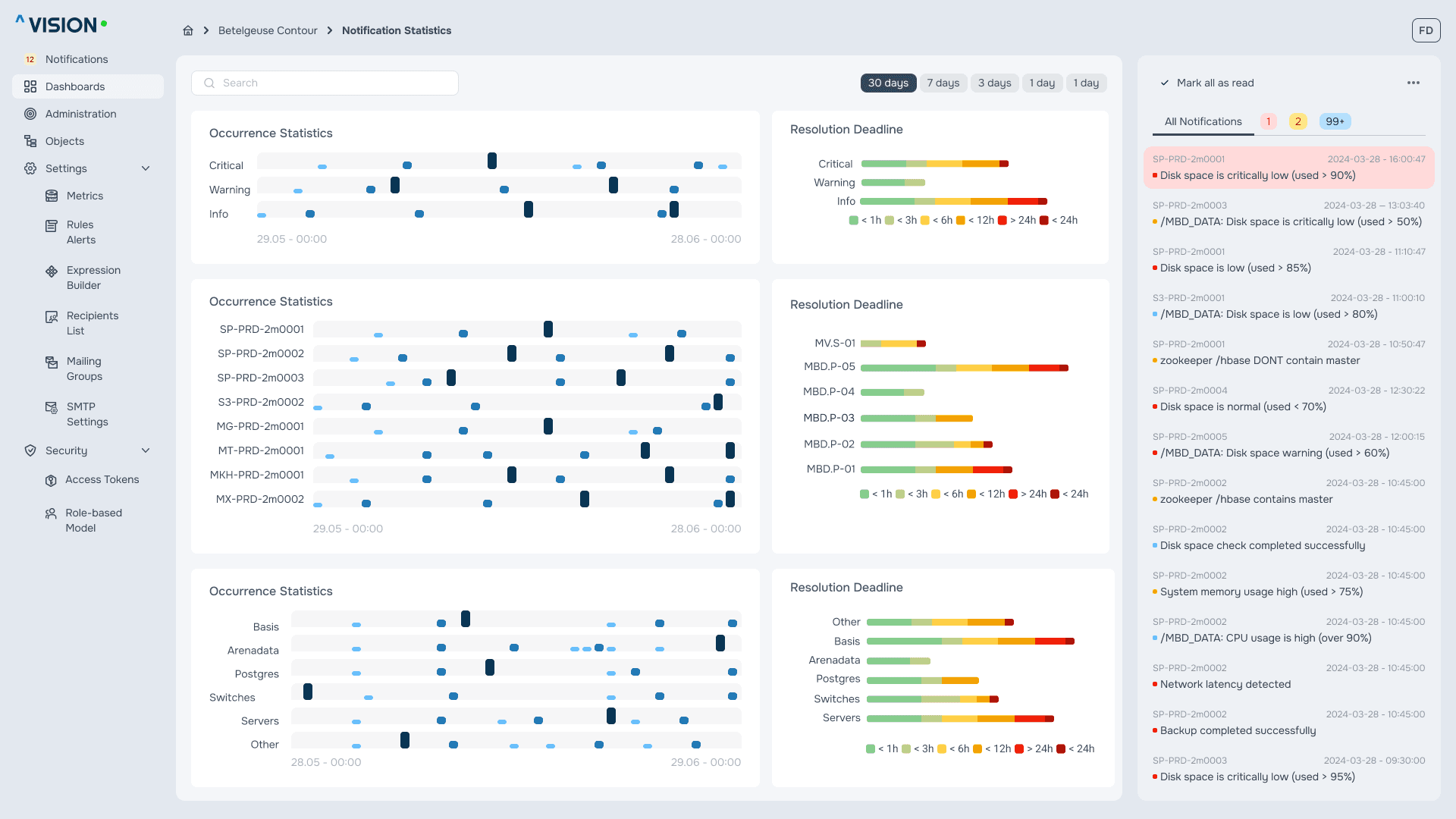
After the initial mockups, I got critical feedback from the team: notifications weren't a side channel — they were the actual entry point into incident management. The server workspace looked like the primary surface, but in real operations, engineers started from the alert and worked outward.
The incident state lives directly in the workspace as a large, pulsing red indicator. It looks like something out of a UI fantasy — and that's deliberate. In an interface where red already appears everywhere (warnings, thresholds, error states), engineers need an unmistakable signal for where the real red is. The visual loudness isn't decoration; it's a hierarchy decision.


The trade offs
The graphs were an obvious candidate for redesign as they broke visual consistency with the new system. I chose not to touch them. The graph library wasn't a front-end concern; it was wired directly into the Data Lake and shaped how the data engineering team pulled and worked with data. Replacing it would have meant rewiring their workflows, interfering with the work of an entire department, and pushing the change through a full QA cycle on top of that. The cost was high, the benefit was purely cosmetic, and the math didn't justify the move — prettiness can't come at any cost.
There was also a workflow reason to leave the graphs in place. Engineers wanted the data table sitting directly below the graph: they constantly cross-referenced individual data points between the two, and breaking that adjacency would have slowed them down. The "ugly" graph was load-bearing — it was part of how the team actually read the data.
I logged the visual inconsistency as known design debt — a problem worth solving later, when there's a functional reason to touch that layer, not just to change the colors of a chart.
First Positive Feedback
The first round of feedback after the redesign came back with a result I hadn't predicted: engineers said the new UI felt familiar because it read like a Linux terminal window. 88% of respondents said they were more likely to use the new version over the old one — specifically because it felt native to their environment. It's not actually a terminal — it's a stripped-down visual language that borrows the same cues: monospace anchors, dense information layout, dark surface, minimal chrome. A small set of choices, a measurable lift in usage.
The Facelift
The single feature that got the warmest reception was the status filter strip at the top of the data table. It lets users filter the table by server status with a single click, and at the same time surfaces the count of servers in each state — so engineers see the system's health distribution before they even start filtering. One element, two jobs: navigation and at-a-glance status.
Custom graphs
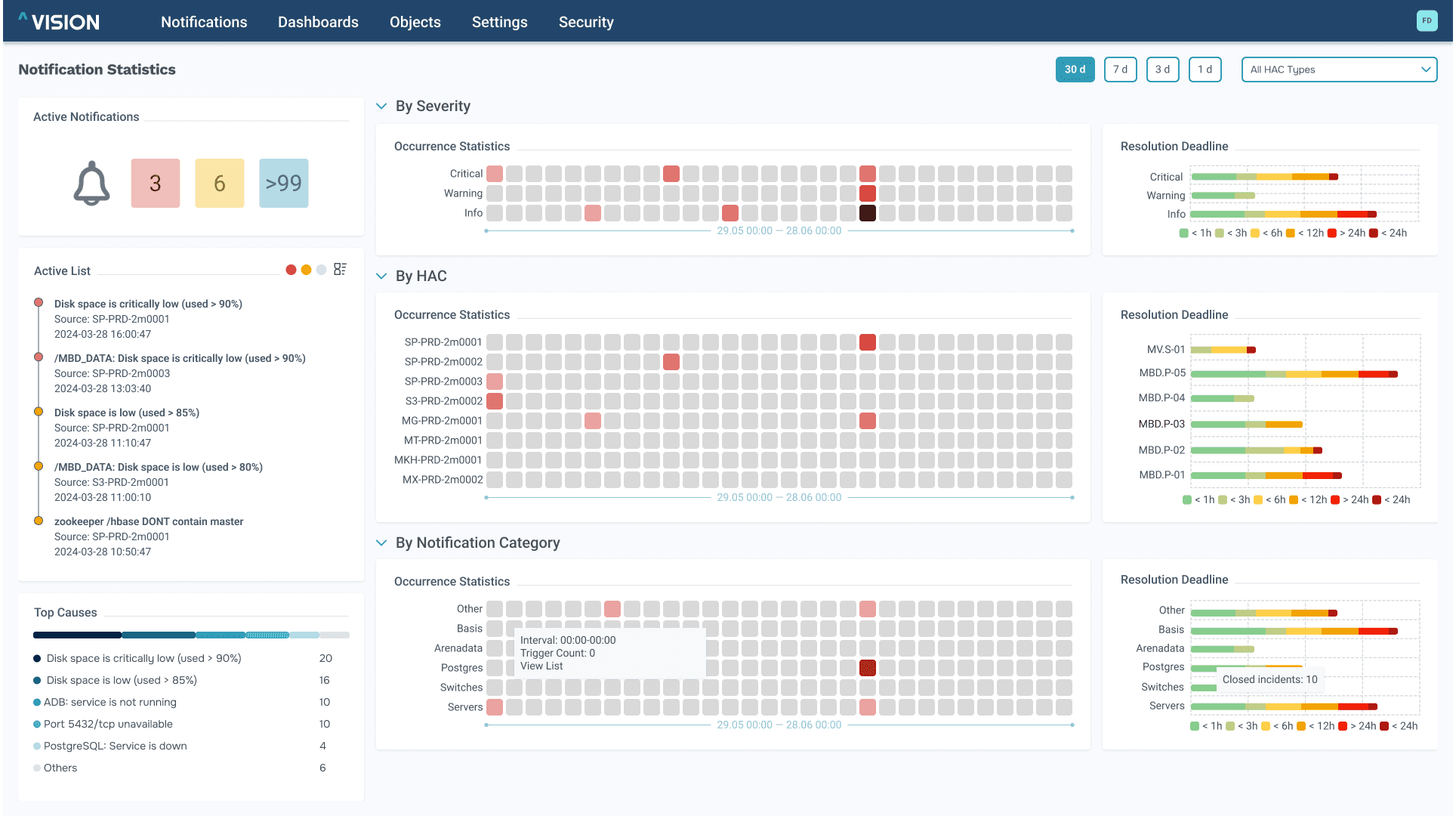
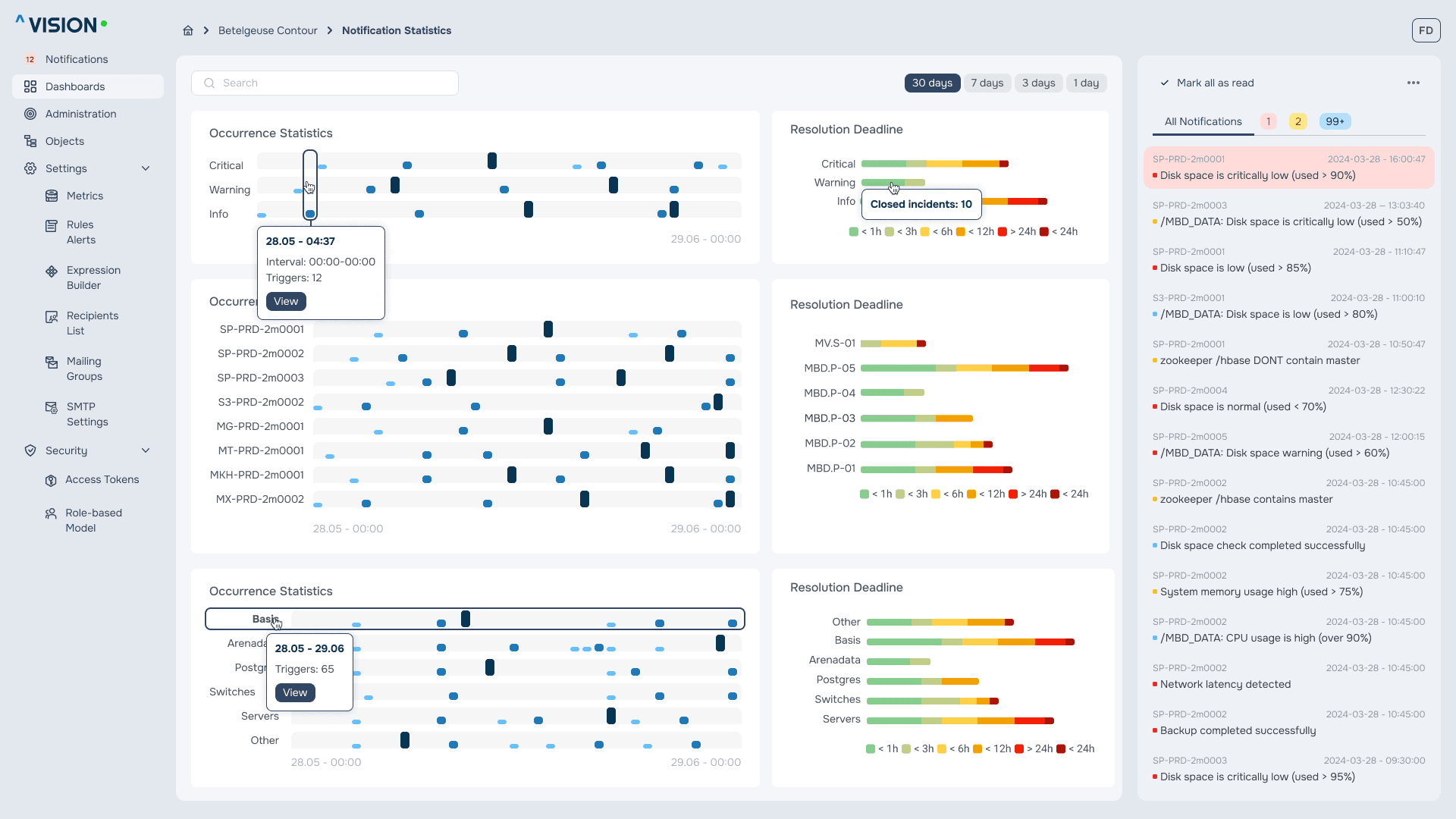
The graphs are custom, and they exist for one reason: incident visibility. Engineers react fastest to what's familiar, so a drastic visual overhaul would have done the opposite of what the graphs are for — it would have slowed response time during incidents. Instead of redesigning, I asked engineers what they were missing.
The blocker they kept raising was tracking: as soon as the cursor left an element, focus on the incident under investigation was gone. They couldn't anchor on a specific point while reading nearby values. I introduced persistent horizontal and vertical guide lines with carry-out tooltips, so the focus point stays locked even when the cursor moves. Small change, but it preserved the one thing the graphs were already doing right: speed.
Results
This was a turning point to get the C-levels to sign off on a much needed overhaul after which a work on the design system started. What follows is the visual record of the work — the unified look-and-feel, the incident workflow, the small components that did disproportionate work. Each screen carries one of the decisions above; together they form the product as it ships today.
Figma file