SberInfra, design system redesign
Kind
Internal IT infrastructure management tool
Year
2022-2026
status
Live internal system
Tools
Figma
solutions
Design system change, User research
The "After"
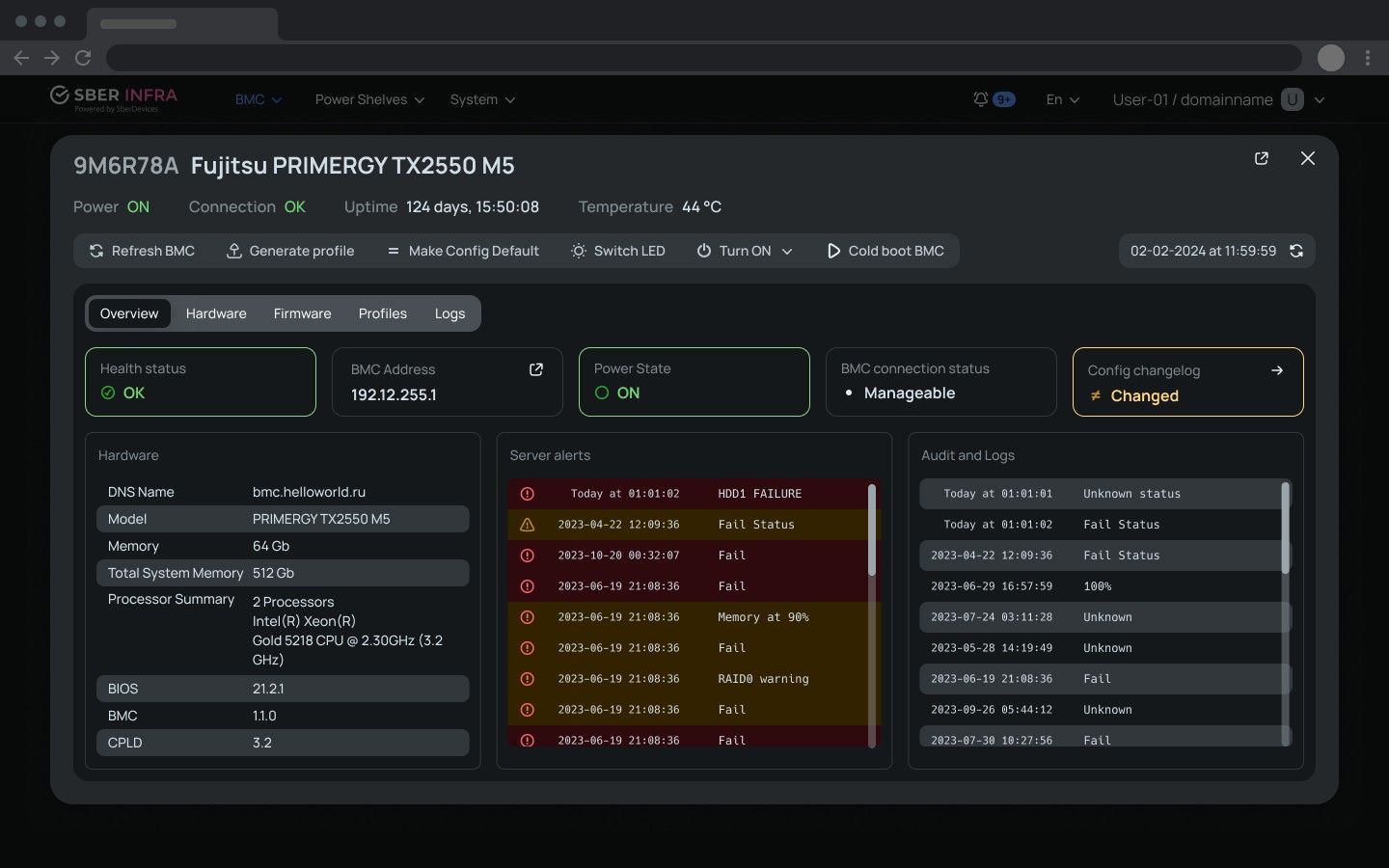
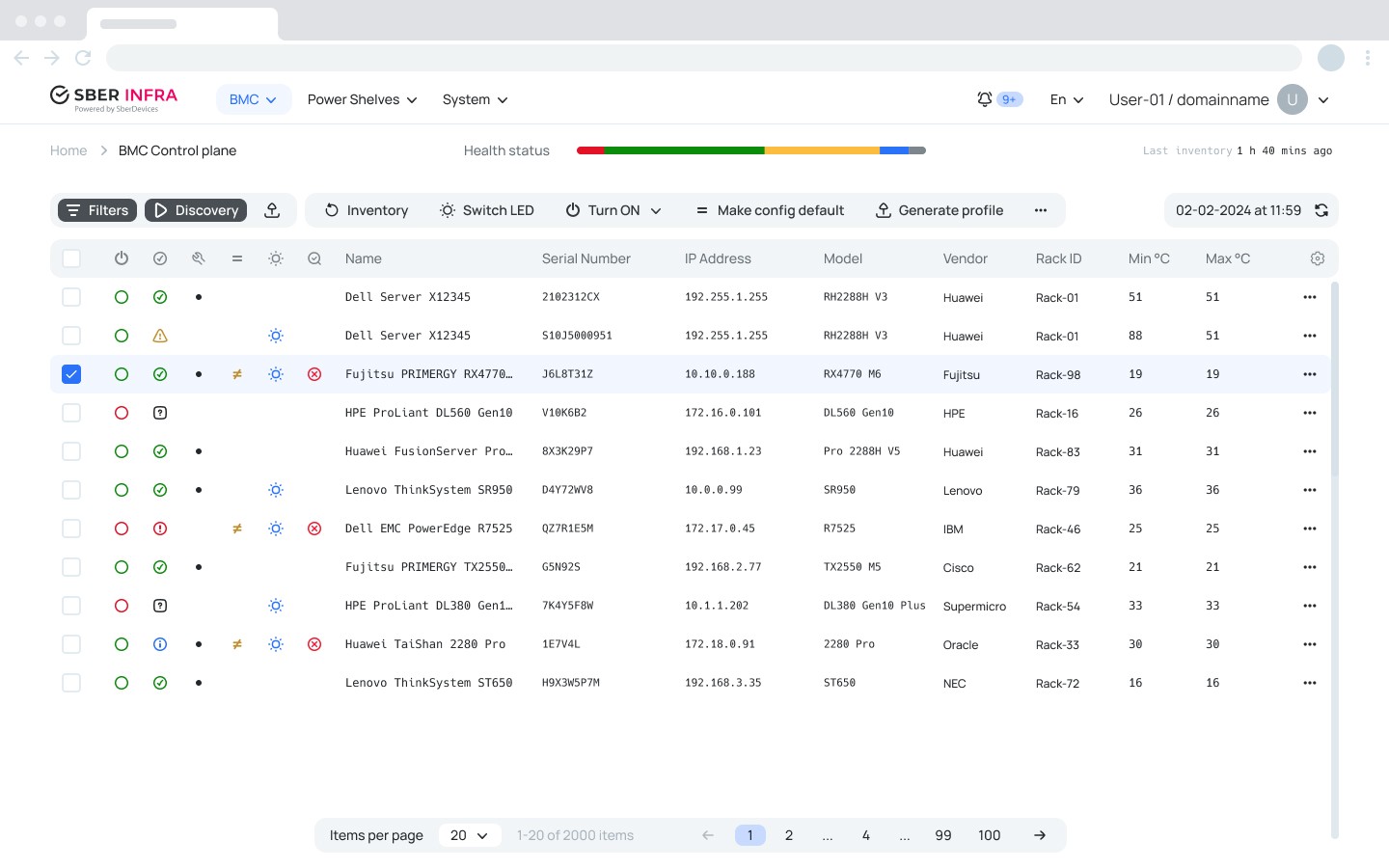
The final design is shown upfront — not to skip the process, but to give you the destination before the journey. The decisions that shaped every screen are laid out below.

The Problem
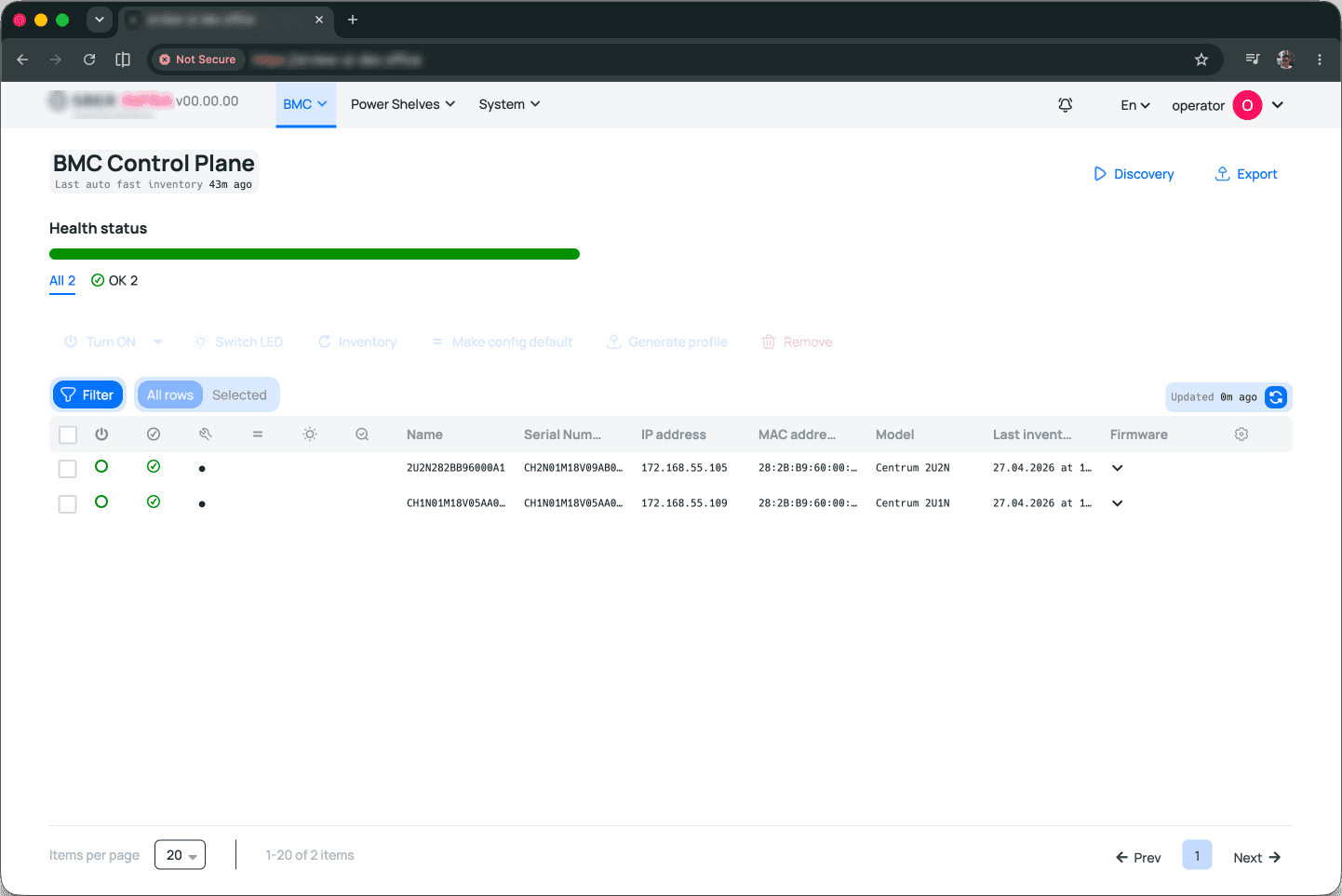
The previous design hadn't been built to scale — it held the functions that existed at the time, but couldn't absorb new ones without breaking at the seams. The surface needed a rethink, not a patch.
The starting point wasn't a Figma mockup, but the product as it actually existed in production. UX feedback was positive; users understood the flows and completed their tasks. But the UI was a different story: "when is the new design coming?" was a consistent signal across all of the user base. That signal became the brief.
The Process
Every component had to be aligned with the front-end engineering team, who needed to assess the implementation cost before anything could move. That assessment surfaced a longer-standing tension: the engineers had been pushing for a front-end refactor for a long time, and the redesign was a natural opportunity to finally do it.
That created a decision point, that sounded as "fold the refactor into the project scope and do it properly", or cut scope, ship faster, and give upper management something visible sooner. It wasn't solely my call to make. In the end, the engineering team and I negotiated a middle ground: a partial code rewrite, scoped specifically to the parts of the codebase that were affecting interface load times. The redesign moved forward, the engineers got meaningful technical debt off their plate, and the timeline stayed defensible.
The process began with a clear constraint: one designer, end-to-end ownership of every component, every decision, every alignment session.
I ran a series of component-by-component feasibility reviews with the engineering team — each element was assessed for implementation cost before it was locked in the design.
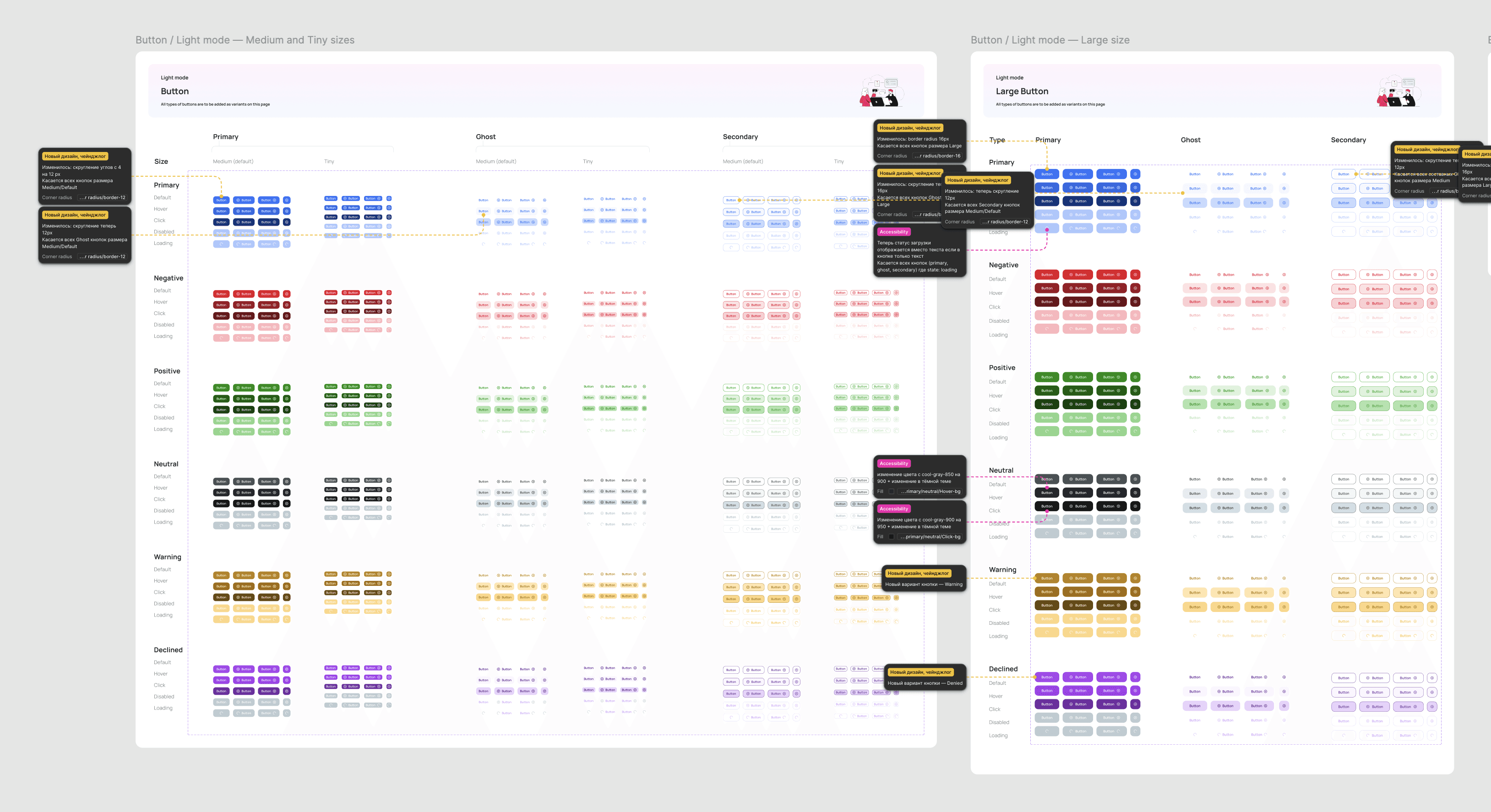
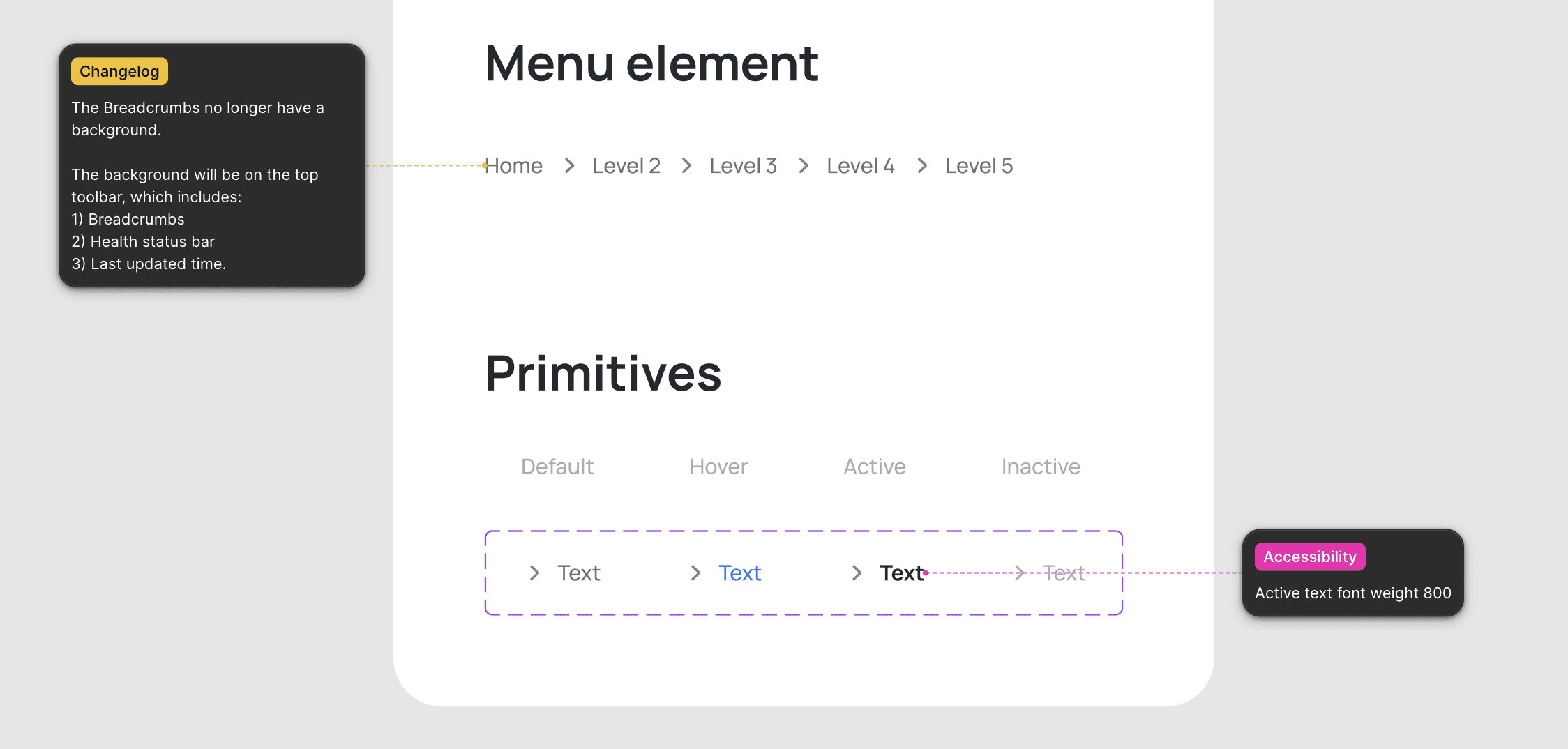
Changelog
Every element's change must have been meticulously documented so that the engineering team knew what exactly was changing. This became the single source of truth for engineering during implementation, no second guess, no ambiguity about what changed, what stayed, and why.
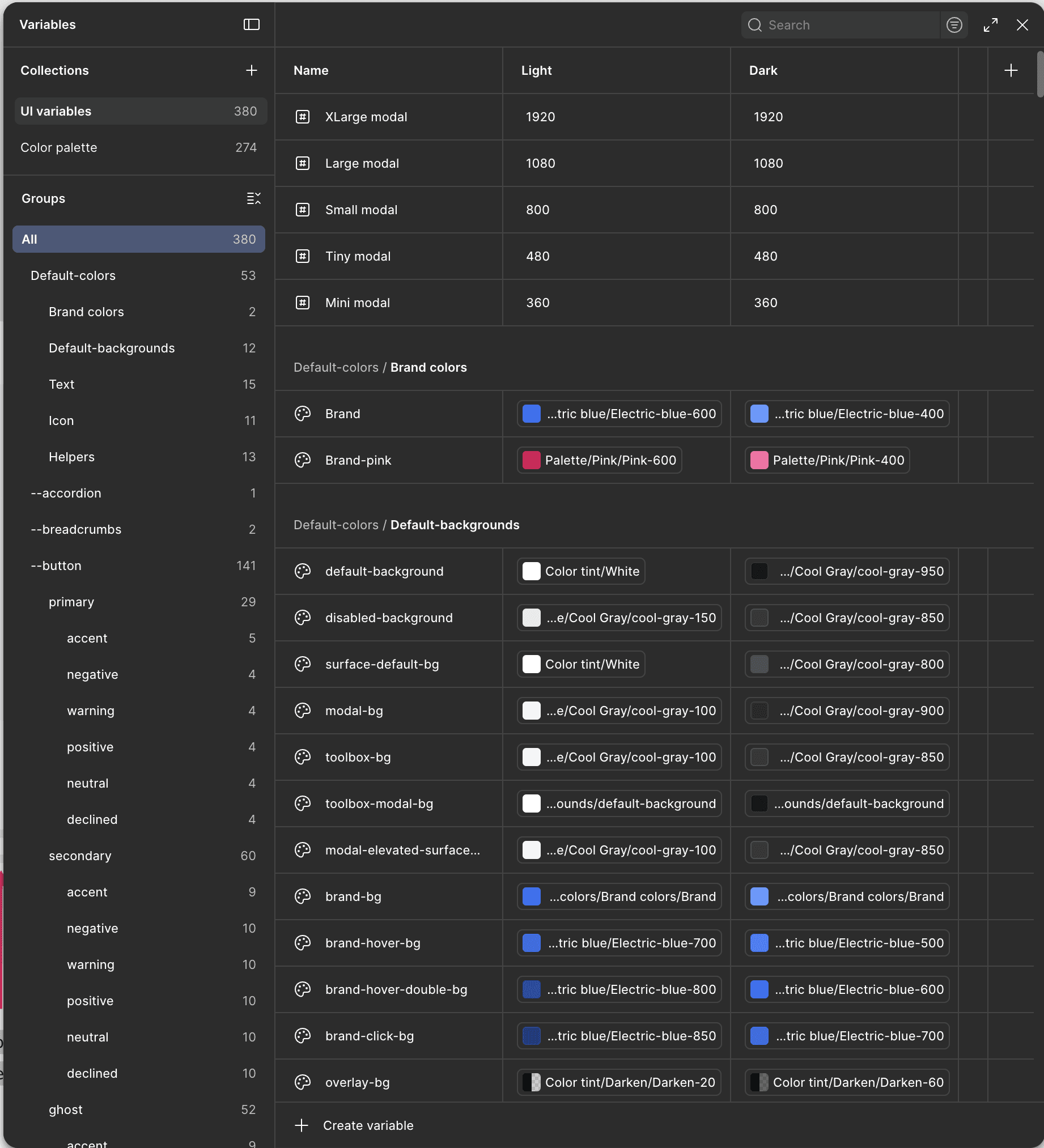
Token Architecture
One thing that held up well through the redesign was the token architecture which was left intact. That was a good sign: it meant the foundation had been right even when the surface hadn't. What I did extend was the coverage. The existing token states that were specific to this system and hadn't been accounted for. I added a few dozen new tokens to close them, the most notable being a system-specific declined state for the full button set. Small additions on paper, but they were the kind of gaps that had been quietly generating inconsistency throughout the UI without anyone being able to point to exactly why.

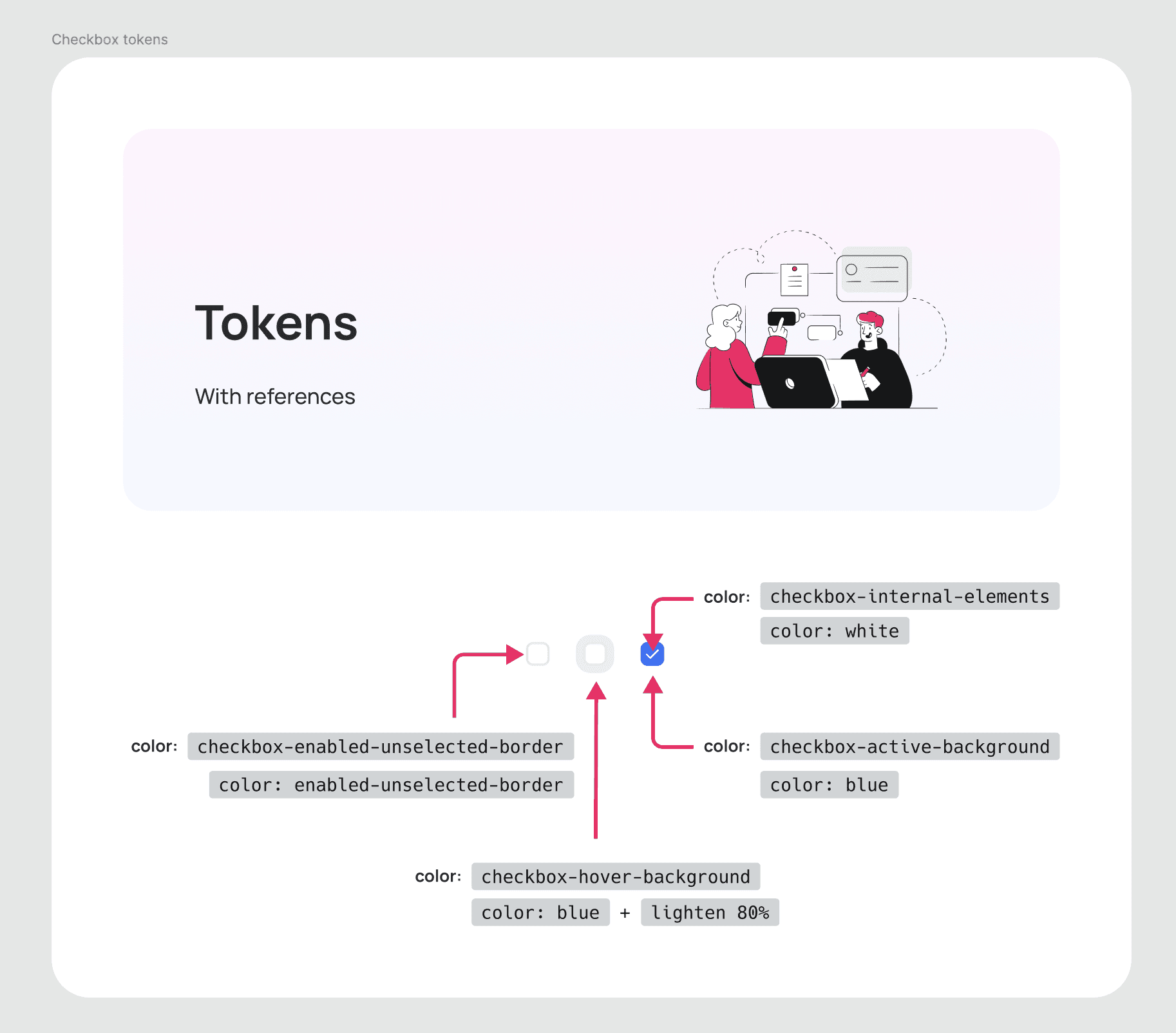
Token Guide
Of everything produced in this project, the token guide is what I'm very much proud of — not because of how it looks, but because of what it enabled. Engineers referenced it unprompted, came back with thanks more than once, and used it as a foundation rather than a constraint. When engineering says thank you unprompted, the design system is working.
Revamp of the Dark Mode
Dark mode had already shipped with the previous version, but production revealed gaps that testing hadn't caught — backgrounds read as unfinished in a way that wasn't visible in Figma.
I used the redesign as an opportunity to address them systematically: rather than patching individual screens, I restructured the background layer around a four-level elevation system — analogous to Material Design's elevation model by giving every surface a defined depth and a consistent relationship to the layers around it. What had felt unpolished became intentional.
Component Documentation
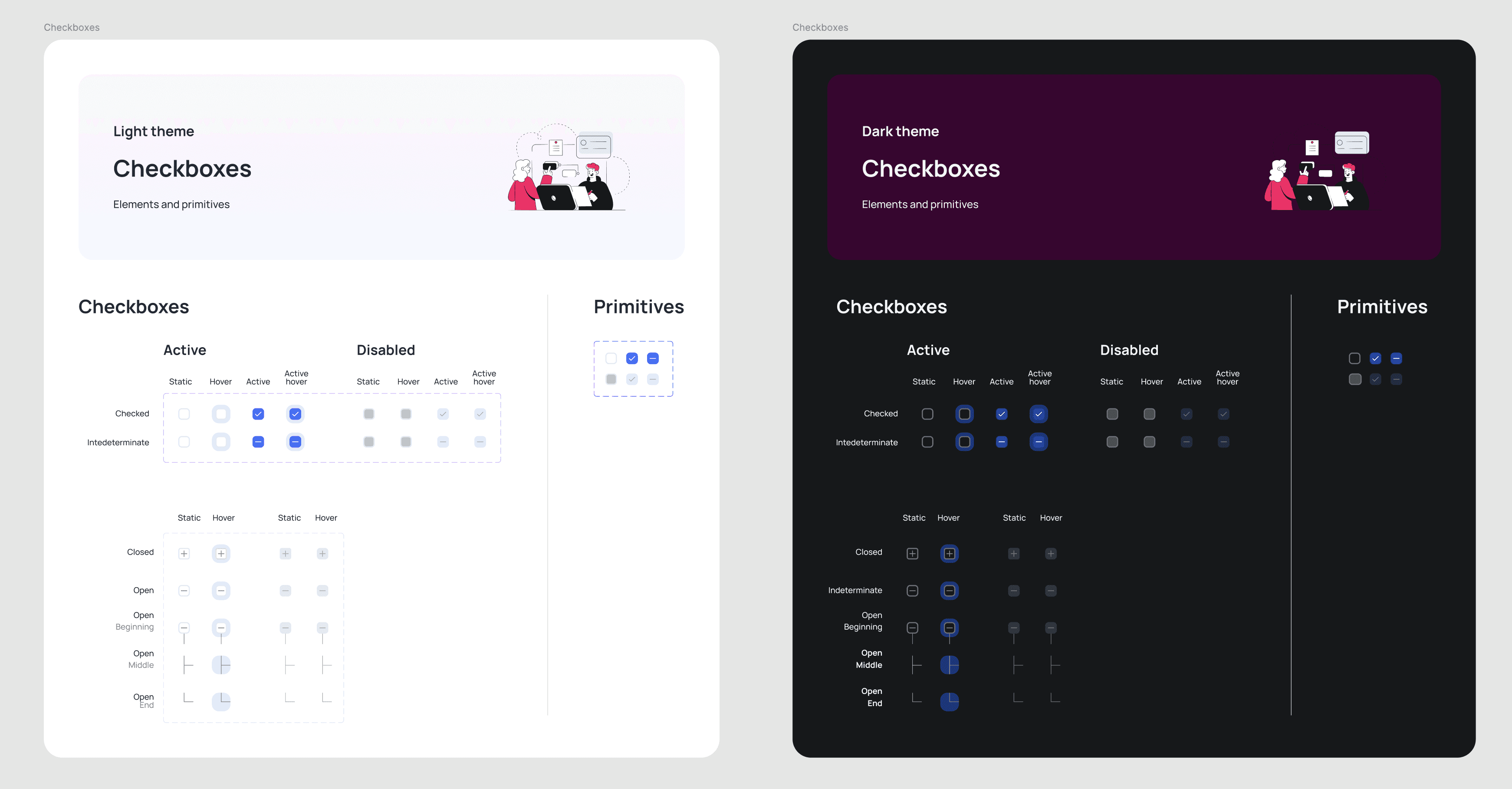
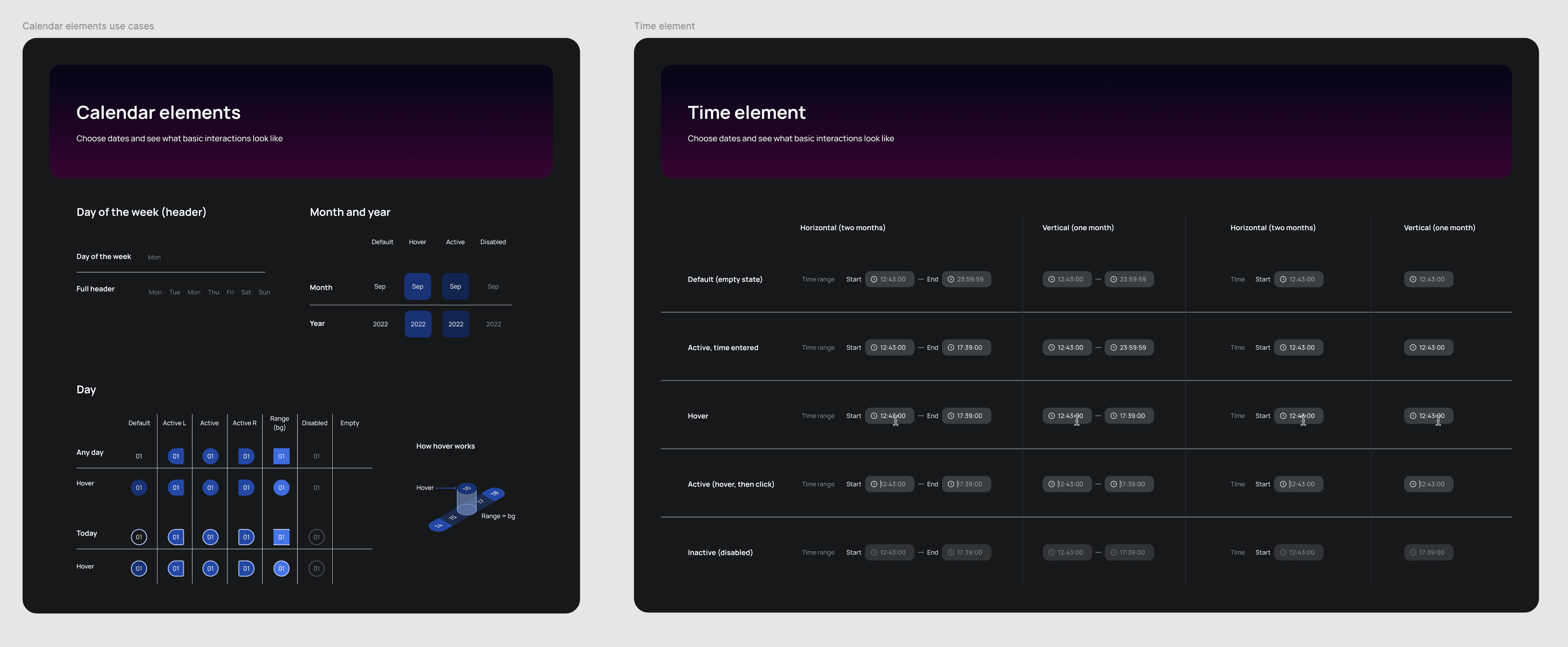
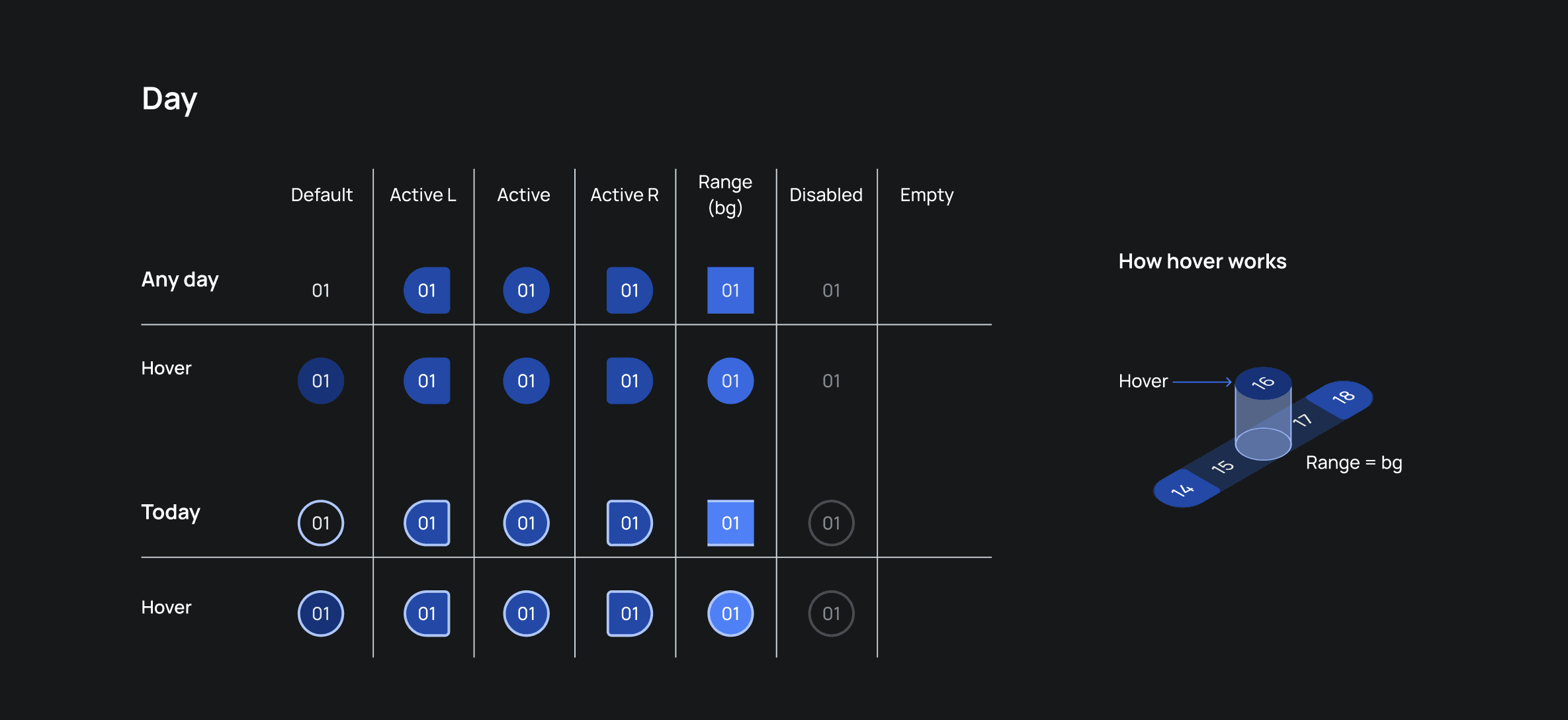
Component documentation went beyond Figma's dev mode. Each component was delivered with a visual state matrix — every state, every variant, every interaction laid out in a single reference frame. Engineers could see the full picture without reverse-engineering the file. The date picker alone covered seven states across four interaction contexts, with a separate diagram showing how elevation levels interact on hover.
Typographic Grid
With all components ready, it was time to assemble the first real screens. On paper — and in Figma — the system held up. The math was right. In practice, the screen told a different story.
The problems that surfaced were classic first-assembly issues: spacing that felt correct at the component level started to feel heavy in context; colors that held their contrast ratios began to visually merge on dense surfaces; typography that passed every size check lost readability under real information density. And underneath all of it — a subtler issue that took longer to name: text was drifting horizontally. Not randomly, but consistently. H1 sat flush at 0px; a modal label sat 4px off that same baseline. Each element was internally correct. Together, they broke the sense of cohesion.
The fix wasn't cosmetic. I introduced a baseline grid and realigned every text element to a shared typographic axis — establishing a single rule that every text element, regardless of component or context, aligns to the same horizontal baseline. The drift disappeared. More importantly, the system now had a principle it had been missing: internal correctness isn't enough if elements don't hold a common line.

Final Result

The "Cherry on Top"
The version got a name: Seon UI — from the Korean 새, meaning "new." It wasn't just a label. For a product that had carried years of visual debt, the name was a deliberate signal — to the team, to the users, and to anyone inheriting the system after — that something had genuinely shifted, not just been patched.